Most robot mower complaints I get are not mower complaints. They are install complaints wearing a mower costume. A wire-free robot mower installation is really two jobs stacked on top of each other: teaching a machine where your lawn ends, and giving it a home it can find by itself at 9 p.m. in the rain. Do those two things properly and the mowing becomes boring, which is exactly the point.
I have installed more than 30 robot mowers for landscape clients, and I run my own on a 0.4-acre Minneapolis lot with a slope, a vegetable garden, and a dog who treats anything that moves as a personal challenge. The mowers that fail are rarely the cheap ones. They are the ones installed in one afternoon by somebody who never walked the property first.
Here is the order of operations I use, and the hardware I would start with.
Why you should trust me
I spent 15 years installing lawns before I switched to reviewing the robots that mow them. That order matters, because I learned the drainage, the shade patterns, and the soil before I learned the app menus. When a client calls and says their mower keeps escaping into the garden, I can usually guess the cause from the shape of the bed and the position of the dock.
I keep a string-and-stakes map of every install, drawn by hand, with the dock marked, the low spots marked, and the tree canopy drawn in. Six different robot mowers have run across my own lot through two full Minnesota seasons, including winter storage, spring installs, and the great mulberry-leaf clog of 2024. I also tell clients, regularly, when a robot mower is the wrong purchase for their yard. If your lawn is one narrow strip between a fence and a driveway, save your money and buy a good reel mower.
What I do not do is quote a slope rating as if it were a spec sheet fact. I have watched a mower rated for a 25% slope slide sideways on wet grass at 18%. Ratings get tested on dry turf by people who never mow in April.
How I picked and how I tested
This is not a best-of list. It is the hardware my install workflow assumes, plus the one indoor machine that makes mowing season livable inside the house.
I judge robot mowers on a short list of things that actually decide whether you keep using the thing in year two:
- Does it find the dock in the dark, on the first attempt, without hunting along a wall for four minutes?
- Does the map survive a firmware update, or do you re-walk the boundary every spring?
- Can you reach the blades without a special tool and without flipping the mower upside down on your kitchen table?
- Does it handle a wet slope by slowing down, or by spinning and digging a rut?
- Can you set a schedule that runs daily without opening the app every week?
I care about frequency more than I care about cut quality. A modest robot mower running every day beats a premium one running every Saturday, because daily cutting keeps clippings short enough to mulch back into the lawn instead of clumping on top of it. That single habit does more for lawn health than any feature on a spec sheet.
I also weigh install reality. Wire-free sounds like freedom, and it mostly is, but it moves the work from a trencher to your phone, and the work does not disappear.
The hardware this workflow runs on
Two machines cover the whole job. One cuts the lawn, and one cleans up what the lawn tracks back into the house.
Our pick: roborock RockMow X120H LiDAR AWD Robot Lawn Mower for up to 0.49 Acre, Wire-Free RTK Free with Dual- LiDAR AI Auto Mapping, Robotic Mower with 4G, AI Obstacle Avoidance, 80% Slope, Smart App Control
 Visit on Amazon →
This is the mower I would put on my own lot tomorrow, and the reason is the coverage figure. It is rated for lawns up to 0.49 acre, which sits just above my 0.4 acre, and that headroom is the difference between a machine that finishes its map and one that spends the last hour of every cycle hunting for the last strip.
The dual LiDAR setup is what makes the wire-free part believable. You walk the boundary once with the app, the mower builds its own map, and no wire goes into the ground. For a client with a driveway crossing, a mulched bed, and a garden gate, that saves the ugliest part of a traditional install: the splice under the walkway that corrodes by the second season.
All-wheel drive is the feature I would not skip. My lot has one slope that gets slick in April, and traction is the whole game there. The 80% slope rating in the name is the number I would treat as a dry-turf claim, not a promise. Test your own slope on a wet morning before you trust it.
The 4G connection matters more than people expect, because the far corner of a lot is exactly where home Wi-Fi dies, and that far corner is where a mower without a signal sits down and waits for you.
Flaws but not dealbreakers: It is a substantial machine with a substantial dock, so measure your storage spot first. And if your lawn is a quarter acre of flat, open grass with no obstacles, this is more mower than the job requires.
Anyone with a real lot, a slope, and a garden edge that needs a clean boundary will get the most out of this one.
Also worth having: dreame X50 Ultra Complete Robot Vacuum with Self-Cleaning & Emptying
 Visit on Amazon →
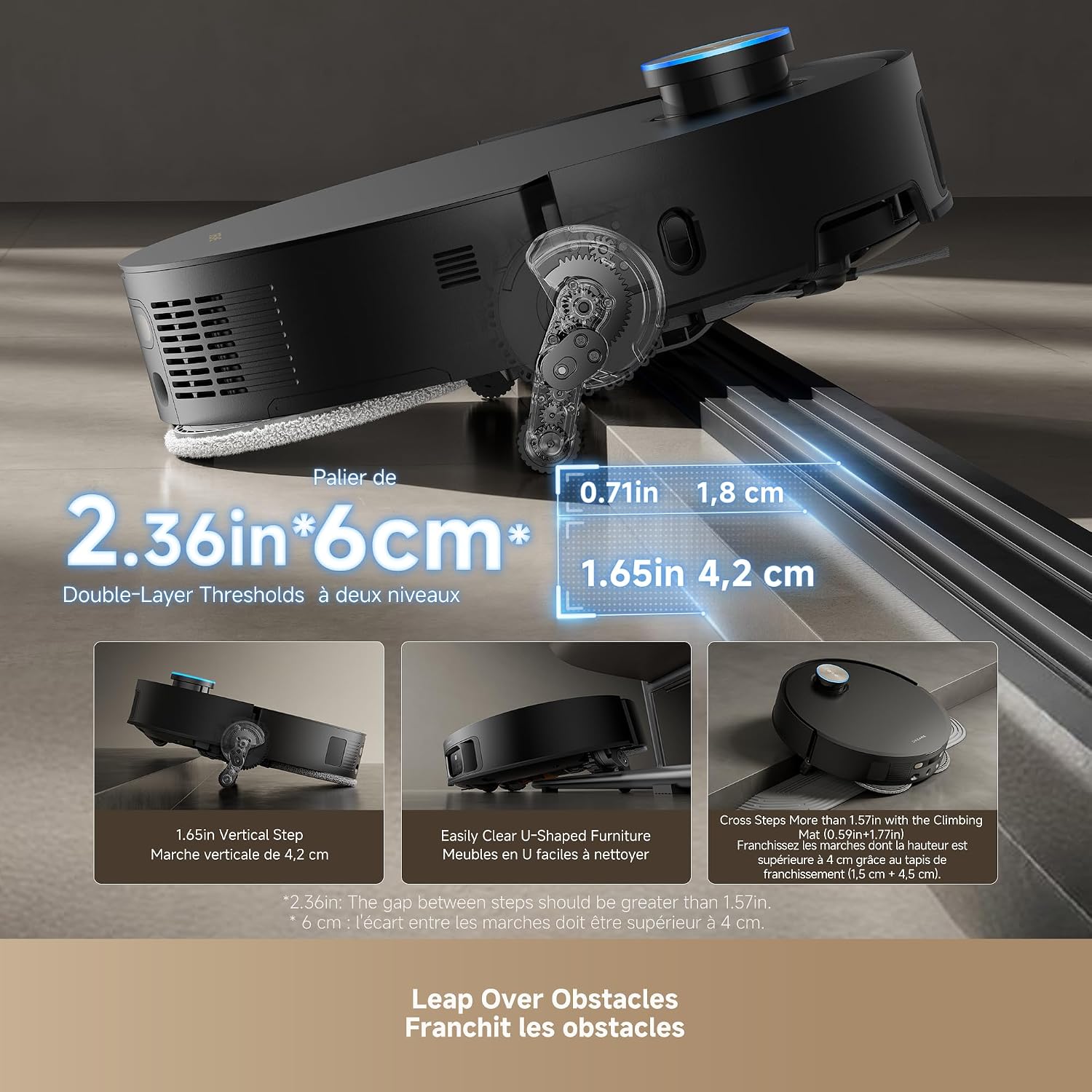
This is not a mower and I am not going to pretend it is. It is the indoor half of a mowing season, and it earns its place in this article because the mower is what creates the mess inside your house. Clippings ride in on shoes, mud comes in on the dog, and the first two weeks after a spring install are a losing battle with a broom.
Self-cleaning and self-emptying are the two features that matter here, because the failure mode of every robot vacuum I have owned is the bin. A vacuum you have to empty after every single pass is a vacuum that ends up in a closet by July. One that docks itself and handles its own maintenance stays in the rotation.
Flaws but not dealbreakers: It is an indoor machine, so it will not touch your lawn, and it will not help with the clippings matted into the grass. Buy it for the house, not for the yard.
Anyone tracking grass and mud through a kitchen for six months of the year will notice the difference.
The install, step by step
This is the sequence. Skipping step one is the single most common mistake I see.
Step one: Walk the property before you open the box. Take a notepad and walk the whole lawn at a normal pace. Mark the low spot where water sits, the steepest pitch, the garden edge, the hose you leave out, the dog toys, the sandbox, the downspout, and the tree canopy. I draw this on a string-and-stakes map because a screen map does not show me where water pools. Fifteen minutes here saves a week of rescues.
Step two: Decide your cutting height before the first run. A robot mower maintains a height. It does not fix an overgrown lawn. If your grass is four inches tall when the mower arrives, cut it down first with a push mower, then let the robot take over. Mulching only works when you are removing a small amount of blade at a time.
Step three: Place the dock on power and on flat, well-drained ground. Not at the bottom of a slope where water collects. Not on a side hill where the mower approaches at an angle. Leave a clear runway in front of it, roughly two mower lengths, so the machine can line up instead of nosing in sideways. If your only outdoor outlet is on the wrong side of the house, solve that now with an extension rated for outdoor use, not in June when the mower is parked in the middle of the lawn.
Step four: Map in daylight, on a dry day, without interruptions. Walk the boundary yourself at the pace the app asks for, keeping the perimeter clean. Do the outer boundary first, then add interior zones. Do not stop halfway to answer a text. A partial map is worse than no map, because the mower will treat the missing section as either an obstacle course or open season on your neighbor's yard.
Step five: Build no-go zones around everything you would cry about. The vegetable garden, the fresh sod, the flower bed, the dog's digging pit, the hose reel. Wire-free mowers handle this with zones rather than wire loops, and zones are easier to edit, but they are only as good as the map underneath them.
Step six: Tune obstacle avoidance for your actual pets. My dog chases anything that moves, including a mower, which is a bad combination. Set the avoidance sensitivity higher at first and watch a full cycle before you trust it. Move toys, bones, and garden tools before each run for the first two weeks. The mower learns the yard. You have to learn the habit.
Step seven: Schedule for frequency, not for convenience. Daily, or every other day during a growth surge. Early afternoon is my preference in a Minnesota spring, after the dew burns off and before evening rain, because wet grass is what clogs a deck and smears clippings across the lawn. If you can only run it twice a week, expect to do some touch-up mowing.
Step eight: Check the blades every two to three weeks. Blade life is the hidden cost of robot mowing and the thing nobody warns you about. Dull blades tear grass instead of cutting it, and torn tips turn white and invite disease. If the lawn looks ragged after a pass, the blades are the first suspect, not the schedule.
Step nine: Plan winter storage before the first frost. Clean the underside, remove clippings, store the dock indoors if you can, and keep the battery in the range the manual specifies rather than fully drained in a cold garage. In spring, expect to re-map, because snowplow damage, frost heave, and a new garden bed will have changed the boundary you drew last year.
Where wire-free setups fall apart
Wire-free is not magic, and the marketing oversells it.
The biggest failure is tree cover. Positioning that relies on a satellite fix degrades under a dense maple canopy, and that is exactly where a mower gets lost. Dual LiDAR helps because the mower is reading its surroundings instead of only the sky, which is why I lean toward machines that combine the two rather than a satellite-only design. If your lawn is mostly under trees, plan on some trial and error.
The second failure is slope plus moisture. A slope rating is a dry-turf number. Wet grass cuts traction, and traction is the only thing keeping an all-wheel-drive mower from sliding sideways down a hill. Run your steepest section on a dry afternoon for the first month and watch it.
The third failure is the app. Schedules that reset, maps that vanish after a firmware update, notifications that stop. This is the least glamorous part of the purchase and the one that decides whether you still use the mower in year three. Set your schedule, then check it once a week for the first season until you trust it.
The fourth failure is mud season. Spring installs in a wet year mean a mower that sinks, spins, and leaves ruts. Waiting two extra weeks for the ground to firm up costs you nothing and saves your turf.
What this all costs
The honest cost of a wire-free install is time, and it is front-loaded.
You are trading a trencher or a pro wire install for an afternoon with your phone, walking boundaries and drawing zones. In my experience that afternoon is the whole difference between a mower that runs for years and one that gets shelved in August.
The ongoing costs are blades and attention. Blades are consumable, and a heavy growing season will eat a set faster than the box suggests. Attention is the weekly schedule check, the pre-run toy sweep, and the spring re-map. Budget those two things and the rest is electricity and a lawn that looks mowed every single day.
That is the trade. You give up the meditative hour with a push mower, and you get a lawn that is always cut, a dock that always has a robot in it, and a Saturday that belongs to you again. The install is the product. Do it in the right order, and the machine disappears into the background of your week.