Robot lawn mower setup fails at the edges, not the middle. Everybody's first afternoon looks the same. The box comes off the pallet, the mower goes down on the grass, it makes two gorgeous passes across the open lawn, and then it parks itself against the fence and beeps for help. The middle of the yard was never the problem. The dock corner, the strip along the driveway, the slope behind the garage, and the ten feet around the dog's water bowl are where the whole system lives or dies.
I have installed more than 30 robot mowers on client lawns, and I have run six of my own through two full Minnesota seasons, including winter storage, spring reinstalls, and the mulberry-leaf clog of 2024. The install is the product. The mower is just the machine that executes it.
So this is the setup sequence I actually run, in order, with the spots where I watch people go wrong.
Why you should trust me
I spent 15 years installing lawns as a landscape designer before I switched to reviewing robot mowers, mostly because clients kept asking me to make these things work on lawns that were never designed for them. That is the job: not picking a mower, but making a real yard with a slope, a garden bed, a maple canopy, and a dog that chases anything that moves into a place where a robot can operate every day without a rescue.
I keep a string-and-stakes map of every install I have done, dated. I know which dock placements flooded in April and which boundary loops held up through two winters. I do not sell mowers and I do not take money from manufacturers. When a slope rating turns out to be fiction, I say so.
What setup actually means
Most buyers think setup is charging the battery and pressing start. It is four things, and if any one of them is wrong the mower looks broken when it is not.
- The dock. Where it sits, whether it is level, and whether the mower can find it in the dark.
- The boundary. The wire you bury, or the map you teach in the app. This is the real cost of ownership, in hours.
- The cutting height. Set too low on day one and you will scalp the lawn and stress the turf for a month.
- The schedule. Daily beats weekly, every time. A cheap mower running every day out-cuts an expensive mower running on Sundays.
Order matters: dock first, boundary second, cutting height third, schedule last. Doing it out of order means redoing the boundary, and the boundary is the part nobody wants to redo.
The mower I would build a setup around
The machine below is what I would start with if I were installing a fresh system on a suburban lot this fall. The reason is navigation, not marketing.
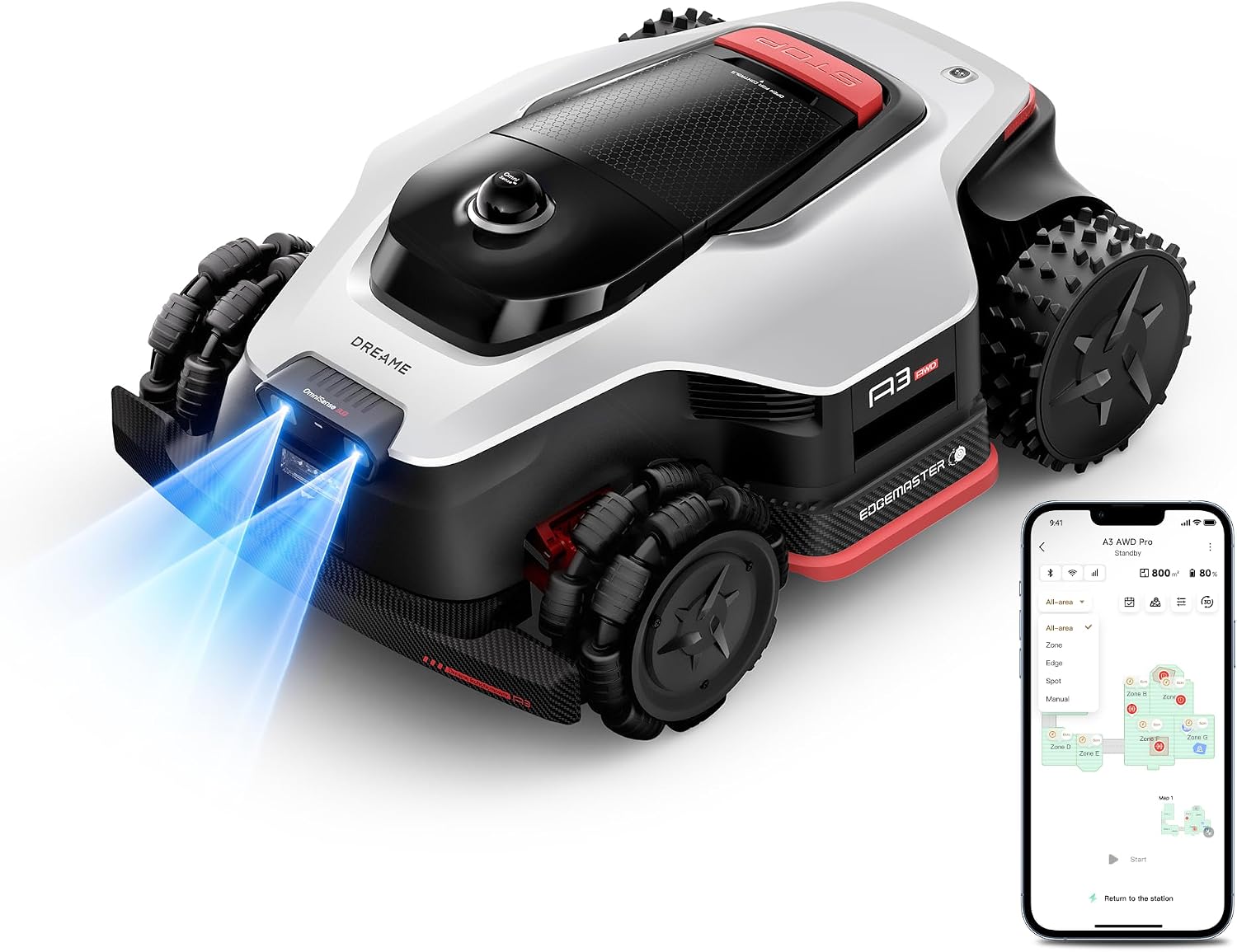
Our pick: (Latest) DREAME LiDAR Robot Lawn Mower A3 AWD Pro 2500 Wire-Free,0.62 Acre
 Visit on Amazon →
The name is long, and the two words that matter are LiDAR and wire-free. My complaint about wire-free mowers has never been the idea. It is the satellite dependence. RTK positioning needs a clean view of the sky, and the yards I work in are full of maples, which is exactly why I have spent years installing perimeter wire for clients who want reliability instead of elegance. A LiDAR machine maps the yard with a sensor on the mower itself, so tree cover does not blind it the way it blinds a satellite-only unit. That is the argument for this one, and it is the argument that finally made me stop rolling my eyes at wire-free.
AWD is the second thing. All-wheel drive on a mower is not about speed, it is about not sliding sideways on wet grass, which is the failure I see most in Minnesota springs. The 0.62 acre coverage figure puts it in the right class for the lots I mostly work with, a quarter acre up to a little over half.
Flaws but not dealbreakers: No perimeter wire also means no physical boundary. Your lawn edge lives in software, and if a firmware update drops the map, you are redoing boundary work in the app rather than walking a wire. That is the trade with every wire-free machine, and it is worth knowing before you buy rather than after. AWD also adds weight, and a heavier mower can leave tracks on saturated spring turf where a lighter one floats over it.
Anyone with a quarter to a half acre, a slope, tree cover, and a dog should start here.
Step by step: the setup workflow
Step one: pick the dock site before you unpack anything. Flat ground, close enough to an outdoor outlet that you are not running an extension cord across the lawn, and not at the bottom of a slope where water collects. If the mower uses any satellite correction, give the dock the most open sky you have. Under the deck is the worst possible spot and also the most popular.
Step two: set and level the dock. A string level or a two-foot level on the base plate. Stake it if the ground is soft. A dock that is out of level by an inch will make the mower approach at an angle, and a mower that approaches at an angle will miss the contacts in the dark. This is the single most common cause of "it won't dock at night."
Step three: charge it and let it finish its first update before it touches grass. New machines arrive with firmware that is months behind. Do the update on the dock, on wifi, while you are still staking things out.
Step four: define the boundary. If you are laying wire, overlap the loop so the mower's cutting deck can reach the edge without leaving an unmown strip. If you are mapping in the app, drive or walk the perimeter slowly and deliberately, and add no-go zones around garden beds, the septic cover, the dog's bowl, and anything you do not want chewed. Take the extra ten minutes on the first pass. Nobody ever regrets a boundary that was too generous.
Step five: start high. Set the cutting height at the top of its range for the first two weeks. You are not mowing to a length yet, you are training the grass to be cut often. Drop one notch a week until you reach your target.
Step six: schedule daily. Not twice a week, not "when it looks long." Daily cutting is what makes these machines work. Short clippings disappear into the turf, the mower never hits tall wet grass, and the lawn stops looking shaggy.
Step seven: supervise the first three runs. Walk behind it. Watch where it stalls, where it turns, and where it gives up. Every one of those spots becomes a fix now, not a mystery in July.
Step eight: adjust once, then leave it alone for two weeks. Tinkering with the schedule every day is how people convince themselves the mower is unreliable.
Where robot lawn mower setup goes wrong
The dock is in the shade. Grass there stays wet until noon, and the mower slides on the approach.
The boundary is too tight. The mower cuts to its deck edge, so a boundary laid exactly on the lawn edge leaves a permanent fringe you will be trimming by hand anyway.
The cutting height starts low. Scalping in week one sets the turf back for a month, and the mower gets blamed for it.
The schedule is weekly. Then the grass is long, the clippings clump, and the machine bogs down.
The yard is not picked up. Hoses, dog toys, kid stuff, and one forgotten extension cord will stop a mower faster than any software bug.
The blades are dull. A dull blade tears grass instead of cutting it, and you get brown tips along every pass. Blades are the hidden cost of ownership and the one maintenance item I would put on a calendar.
Wet season is ignored. In a Minnesota April, mud is the enemy. Keep it on the dock after heavy rain and let the lawn drain.
The off-topic thing on my install-day counter
This is not a lawn tool. I want to be clear about that, because it does not belong in a mower guide and I am putting it here anyway for one honest reason: install day is long. I am outside from morning until the light goes, kneeling in mud, running a string line, and the last thing I want at seven in the evening is to stand at a stove.
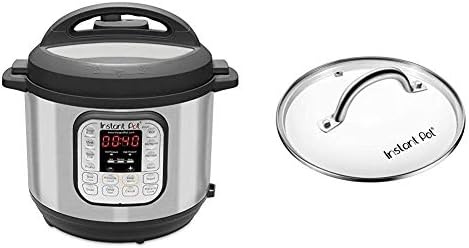
Install-day dinner: Instant Pot Duo 7-in-1 Electric Pressure Cooker, Sterilizer, Slow Cooker, Rice Cooker, Steamer, Saute, Yogurt Maker, and Warmer, 8 Quart, 14 One-Touch Programs & 8 Quart Glass Lid
 Visit on Amazon →
The 8-quart size is the part that matters if you cook for a family or batch cook for a week. The 14 one-touch programs cover the ground most people actually use: pressure cooking, slow cooking, rice, steaming, saute, yogurt, and warming, which means one pot instead of three. The set also includes the 8-quart glass lid, which matters more than it sounds, because the pressure lid is not the lid you want for slow cooking or for anything you need to watch.
Flaws but not dealbreakers: It is a big appliance and it wants permanent counter space. Pressure cooking also does not brown meat, so if you want a sear you do that in the pot first on saute, or in a skillet.
Anyone feeding a household on a day when nobody has time to cook will get their money out of it.
What setup costs you, in time rather than money
Here is the honest budget. The first install is an afternoon, three to five hours if you are laying wire and doing it properly, less if you are mapping in an app. The first week costs you fifteen minutes a day of watching. After that, a robot mower costs you almost nothing per week except blade swaps and the occasional boundary repair where a squirrel chewed through the loop or a root heaved the wire.
The line items that surprise people are not the mower. They are the wire, the blades, and the outdoor outlet you may need to have installed. Price the whole system before you buy the machine.
And check the current price on both of the items above before you commit, because this category moves fast and the numbers change.
The short version
Set the dock level and in the open. Give the boundary more room than you think it needs. Start the cutting height high. Schedule it daily. Watch the first three runs, fix what you see, and then stop fiddling.
Do that and the mower disappears into your week, which is the entire point. It should be the appliance you think about least, running every day on a lawn that quietly stops needing you.