A robot lawn mower is a lawn system, not an appliance, and the setup is the product. That is the line I repeat to every client who calls me after their new mower spent a week parked sideways in the hostas. The machine you unbox is maybe half of what decides whether your lawn looks mowed in July.
Robot lawn mower setup is not difficult, but it is specific. Most of the service calls I get are not hardware failures. They are install failures, and nearly all of them are predictable inside the first hour.
I have installed more than 30 robot mowers for clients around Minneapolis and run my own on a 0.4-acre lot with a slope, a garden border, and a dog who treats anything moving as a personal challenge. Here is the process I use, in the order I use it.
Why you should trust me
I spent 15 years installing lawns before I switched to reviewing the machines that mow them. Since then I have put in more than 30 robot mowers for clients, from quarter-acre suburban lots to a lake place with three separate zones and a charging schedule that had to be rebuilt twice. My own yard is a 0.4-acre test bed with a slope that has humbled two mowers, a garden bed I refuse to give up, and two full Minnesota seasons of mud, mulberry leaves, and a dog who has learned exactly how fast a robot moves.
I keep a string-and-stakes map of every install. When a client calls in June, the map is what tells me whether the problem is the mower or the layout. It is almost always the layout.
How this guide is built
This is a how-to, not a shootout. The two mowers below are the examples I use throughout, because they sit at opposite ends of the same decision: how much lawn you are asking a robot to manage. One is built for a small suburban yard. The other is built for close to an acre and carries the positioning hardware that job requires.
Everything I say about them comes from their published specifications, not from a test I did not run. Where I offer an opinion, it comes from installs and seasons on other machines, and I will tell you so.
Then the steps: dock placement, boundary work, cutting height, scheduling, zones, blades, and winter.
The two mowers this guide uses as examples
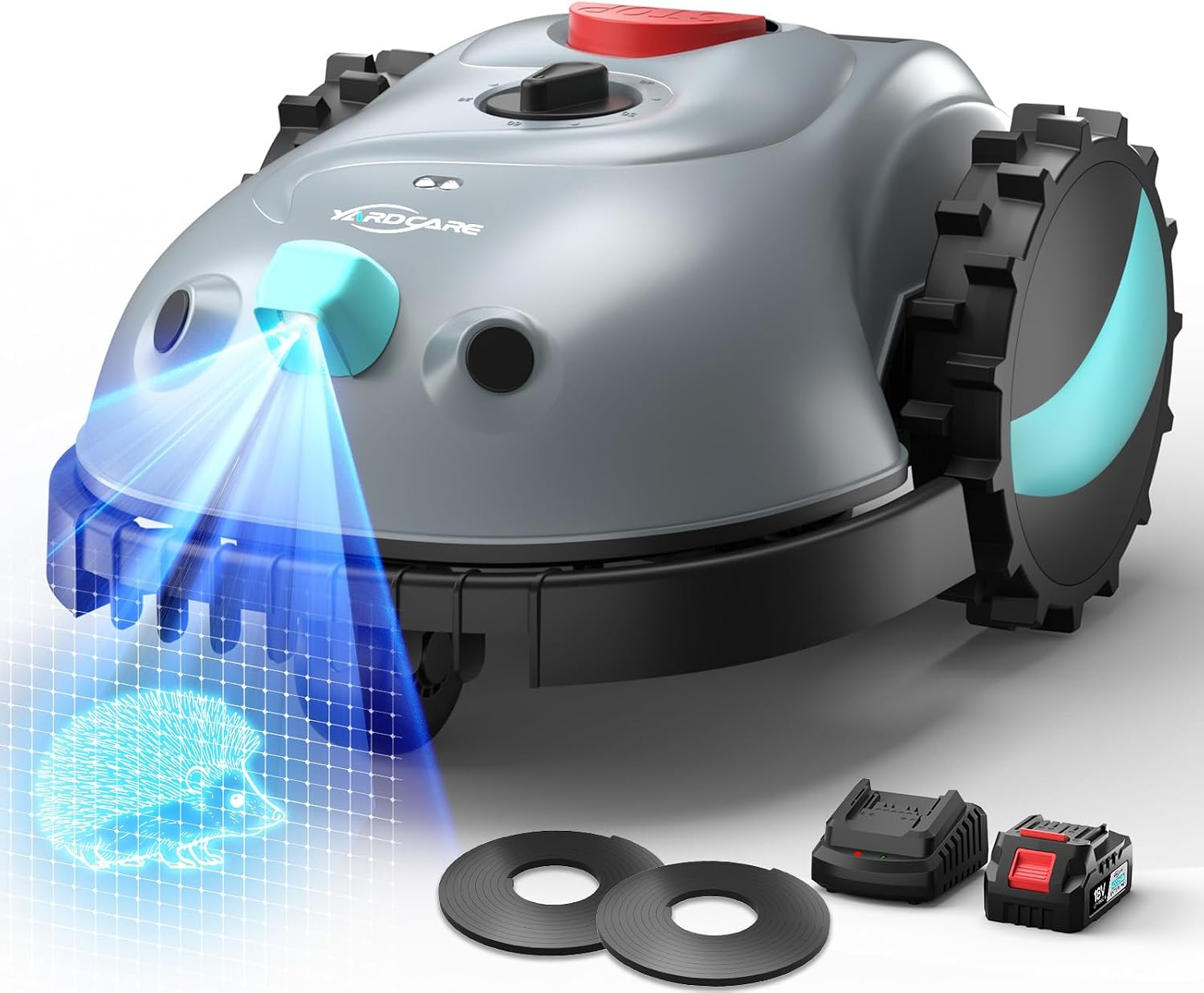
Small-yard pick: YARDCARE V100 Automatic Robot Lawn Mower HD Vision for Lawn Max 1600 sq ft
 Visit on Amazon →
The V100 is rated for lawns up to 1,600 square feet, which puts it in the front-yard-plus-a-side-strip class rather than the whole-property class. The spec that matters most is HD vision. This mower reads its surroundings instead of leaning entirely on a satellite fix, which is the sensible approach for a small yard with a fence line, a foundation, and a couple of trees overhead.
That 1,600 square foot figure is a real ceiling, not a suggestion. If your lawn measures larger, the mower spends its day catching up and never gets ahead, and a robot that never gets ahead is a robot that leaves you pushing a mower anyway. Measure before you buy. I use string and stakes because a measuring wheel lies on slopes.
Flaws but not dealbreakers: Small-yard mowers trade capacity for cost. If you have two separate lawn areas, expect to carry the machine between them or buy for the larger job instead.
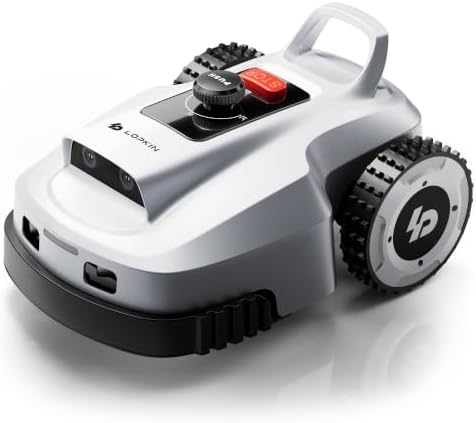
Large-yard pick: L2500-NEO Robot Lawn Mower for 0.9 Acres, NetRTK + AI Vision Lawnmower Robot, Wi-Fi HaLow Connectivity, No Boundary Wire, AI Obstacle Avoidance, App Control, 60dB Quiet, Multi-Zone Management
 Visit on Amazon →
The L2500-NEO is rated for 0.9 acres and pairs NetRTK positioning with AI vision. That hybrid approach is the one I have been telling clients to expect the market to settle on. RTK alone is elegant right up until a maple canopy eats the satellite fix. Vision alone is fine until the light drops. Together, the vision layer covers the gaps where RTK starts to wander.
It is also listed as no boundary wire, with Wi-Fi HaLow for connectivity, multi-zone management, AI obstacle avoidance, app control, and a 60 dB noise figure. Sixty decibels is roughly a conversation at the next table, which means you can run this at 7 a.m. on a Saturday without becoming the neighbor everyone resents.
Flaws but not dealbreakers: No boundary wire does not mean no boundary work. You still define zones and no-go areas in the app, and you still walk the perimeter with the robot during its first mapping runs. Wire-free saves you a trencher, not an afternoon.
Step 1: Map the yard before you buy anything
Walk the property with a notepad and a tape measure. Draw the lawn outline, mark every tree, bed, downspout, and step, and note the narrowest passage the robot must squeeze through. Most robots need roughly three feet of clear width to pass without constant backing and turning, and a passage that looks fine from the kitchen window can be 26 inches when you actually measure it.
Mark the slope sections and note which ones stay wet after rain. I do not trust slope ratings printed on a box. I have watched a mower rated for 25 percent slide sideways on wet grass at 18 percent. Your wet spots are the real test.
Finally, mark where grass grows fastest. That is usually the sunny strip along the driveway, and it is the area that will expose a bad schedule in June.
Step 2: Set the dock where the robot can find it
The docking station is the single most under-planned part of an install. Put it on level ground, in shade if you can get it, close enough to an outdoor outlet that you are not running an extension cord across the lawn.
Leave clearance on both sides so the robot can approach at an angle. Do not put the dock at the bottom of a slope, where runoff collects and the robot arrives with wet, slipping wheels. Do not put it where the dog runs, because a 60-pound dog at full speed will knock a robot off its contacts.
Then run the test that matters: send the robot home after dark. A mower that cannot find its dock in the dark is a mower you will be retrieving by flashlight in October.
Step 3: Define the boundary and the no-go zones
If you are installing a wire system, lay the wire with enough slack to reposition it once, because you will reposition it once. Bury it shallow or stake it and let the grass grow over it. Keep splices out of low, wet ground, since corroded splices are the most common failure I see in season two.
If you are running a wire-free machine like the L2500-NEO, the mapping runs are your boundary work. Walk behind the robot on its first pass, correct the map when it drifts, and set no-go zones around beds, the vegetable patch, and any drop-off you would rather it never approached.
Vision-based mowers like the V100 handle a fence and a foundation well because those are strong visual edges. Loose mulch, a rock border, or a bed that blends into the lawn is where any vision system gets vague. If the edge is not visually obvious, treat it as a no-go zone.
Step 4: Set the cutting height and leave it
Start high. Set the deck to roughly three to three and a half inches for the first two weeks, then step down gradually if you want a shorter lawn. Never take more than a third of the blade height off in one pass.
This is the rule that separates a robot lawn from a stressed lawn. Robots are mulching machines. They cut a little, often, and the clippings break down in place. Drop the deck too low on a thick spring lawn and you get clumping, a brown tinge, and a robot that bogs down in its own mess.
If you have a fescue or bluegrass lawn in a northern climate, three inches is a fine resting height for the season. Taller grass shades the soil, holds moisture, and crowds out weeds. Your robot cuts more often at three inches, which is the point.
Step 5: Build a schedule around growth, not convenience
Run the mower daily or every other day during the spring flush. Weekly is not a schedule, it is a hope. A cheap robot running daily beats an expensive one running weekly, every time.
Set the run times after the dew lifts and before the heat of the afternoon. Wet grass clumps, sticks to the deck, and dulls blades faster. If your mower has a rain sensor, leave it on, but check the app after a storm because a sensor that pauses the run does not always resume it.
For a multi-zone yard, schedule the far zones first and let the robot work toward the dock. That way a low battery means it finishes near home instead of stranding itself at the property line.
Step 6: Keep the blades sharp and the deck clean
Blade life is the hidden cost of robot mowing. Dull blades tear grass instead of cutting it, and torn tips turn brown and invite disease. Check the blades every two weeks during the growing season. If the grass tips look shredded rather than cleanly sliced, replace them.
Buy spare blades when you buy the mower. A blade change should take five minutes with a socket wrench, not a trip to a dealer and a special tool. If a machine needs a proprietary tool to swap blades, that is a design flaw, and it is one of the first things I check.
Wipe the deck and the underside of the chassis when you swap blades. Wet clippings pack into the housing and throw off the mower's weight distribution, which shows up as slipping on slopes.
Step 7: Winter storage and the spring restart
Store the mower indoors, dry, and clean. Follow the manual on battery charge level for storage, and store the battery where it will not freeze if the manual calls for it. Bring the dock in too if your winters are hard. Mine are.
In spring, do not just drop it on the lawn and walk away. Walk the perimeter first and pick up the winter debris: branches, dog toys, the gutter guard that came off in March. Then run a supervised pass and check the map before you trust it. Firmware updates over the winter can change how the robot reads a boundary, and a map that was perfect in October is not guaranteed in April.
What this costs and what goes wrong
The money goes in three places: the mower, the install, and the blades. The install is the part people forget to budget, whether that is a weekend of your own time on a wire layout or a dealer charge for the same work.
What goes wrong is predictable. The dock sits in a low spot and the robot fails to charge. The boundary was mapped before the garden bed went in. The schedule was set for convenience and the lawn outgrew the robot in June. The blades went a season without a look. Every one of those is an install problem, and every one is fixable in an afternoon once you know where to look.
What this guide is not
This is not a comparison against zero-turn mowers or a riding mower. Those are different machines for a different buyer, and if your lawn takes more than an hour on a walk-behind, a robot is not the answer yet.
It is also not lawn care chemistry. I do not advise on fertilizer or weed control. My job is the machine, the layout, and the schedule.
Get the setup right and the mower disappears into the background of your week. Get it wrong and you have bought a very slow Roomba with a blade on it. The difference is about six hours of work, done once, in the right order.